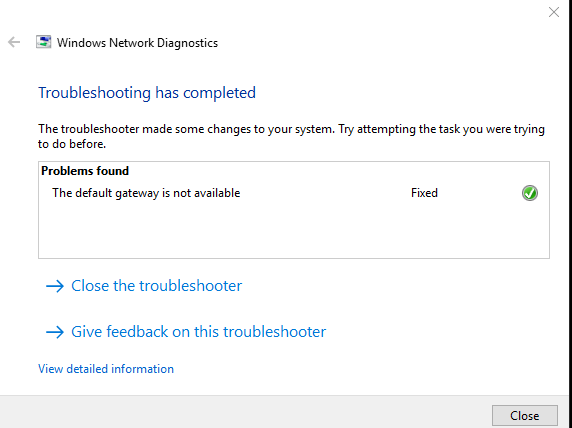
The default gateway is not available (Error)

MSG Trooper

11B4O Infantryman
Combat Element
S-4
e1c8ac606cbc3e5b7cccea90146341c8.png


Every so often my wireless adapter shuts down and when I troubleshoot it I get the following error "The default gateway is not available" It keeps happening from time to time and if y'all have any Ideas on how to fix it that would be cool.

 
Try using a static IP address. The following should work:

IP: 192.168.0.75
Subnet mask: 255.255.255.0
Default gateway: this will be the IP of the LAN interface on your router/ modem, usually something like 192.168.0.1 or 192.168.1.254, etc
Primary DNS: 8.8.8.8
Secondary DNS: 8.8.4.4

How this helps.
 
SPC Rainey said:
Try using a static IP address. The following should work:

IP: 192.168.0.75
Subnet mask: 255.255.255.0
Default gateway: this will be the IP of the LAN interface on your router/ modem, usually something like 192.168.0.1 or 192.168.1.254, etc
Primary DNS: 8.8.8.8
Secondary DNS: 8.8.4.4

How this helps.

I've tried this and it didn't work.
 
Do other devices on your network drop out when your PC does? eg phone, console etc

If everything else has a related heart-attack, then it's likely the router itself which is dying and/or misconfigured.
 
TSgt Hardman said:
Do other devices on your network drop out when your PC does? eg phone, console etc

If everything else has a related heart-attack, then it's likely the router itself which is dying and/or misconfigured.

Negative nothing else is affected by this just my Wireless adapter.
 
Is power saving enabled on your wireless card?
Open a run window (Windows Key + R)
Enter ncpa.cpl and press OK
Right click on your wireless card --> properties --> Configure --> Power Management
Make sure Allow this computer...to save power is disabled
CZCk2rn.png


You can try resetting TCP/IP and winsock. These commands would need to be run from an administrative command prompt. https://support.microsoft.com/en-us/help/299357/how-to-reset-tcp-ip-by-using-the-netshell-utility
netsh interface ip reset c:\resetlog.txt
netsh winsock reset catalog
 
Back
Top